

$39. A camera the size of your palm. No drilling, no monthly fee, “weatherproof,” “1080P HD,” ready in three minutes. Every one of those five claims sits on the GuardHouse WatchEye’s own order page, and every one of them is checkable against something other than the order page itself. So that’s what this review does: it takes the six claims that actually decide whether this camera is worth your $39, and checks each one against the brand’s own inconsistencies, independent buyer reports, and basic spec-sheet reality, before it tells you what to do with your money.
We did not personally purchase and mount a WatchEye for this review. What follows is an aggregated assessment, built from the GuardHouse order page itself, its own internal inconsistencies, and buyer reports collected on BBB-style platforms, Trustpilot-adjacent aggregators, and forum threads. Where a claim is confirmed, we say so plainly. Where it isn’t, we say that too.
Claims Table: What GuardHouse Says vs What We Found
| # | Claim on the order page | Verified? |
|---|---|---|
| 1 | “Weatherproof — built to handle rain, snow, and heat” | Contradicted |
| 2 | “1080P HD Video” | Overstated |
| 3 | “No Monthly Fees” | Mostly true, one exception reported |
| 4 | “90-day money back guarantee” (also states 30-day, same page) | Internally inconsistent |
| 5 | “Wireless, easy setup in seconds” | Mostly confirmed |
| 6 | “$39, no hidden costs” | True at listed tier, bundles vary |
1. The Weatherproofing Claim Doesn’t Hold Up
Quick answer: No, the GuardHouse WatchEye is not genuinely weatherproof. The order page promises it’s “built to withstand rain, heat, or snow” and is “perfect for porches, garages, backyards.” Independent buyer-report aggregation on the device’s port design tells a different story: the housing has open charging and reset ports that are not sealed against moisture, which functionally limits reliable outdoor use to covered areas, overhangs, or indoor placement facing a window. This is the single most consequential claim gap in this review, because “porch camera” is the exact use case most buyers are shopping for.
To be fair to GuardHouse, this isn’t unique to them. A lot of sub-$50 wireless cameras in this price bracket use the word “weatherproof” loosely, meaning “won’t die if it gets slightly damp,” not “rated for direct rain exposure.” The order page doesn’t publish an IP rating anywhere we could find, which is itself informative. A camera genuinely rated for outdoor exposure almost always leads with its IP rating (IP65, IP66, and so on) because it’s a selling point. The absence of one here isn’t proof of failure, but it’s not reassuring either.
What this means practically: if your plan is a covered porch, an eave, a garage interior facing the driveway, or a window-facing indoor spot, the WatchEye is a reasonable fit. If your plan is a fully exposed backyard fence post or an uncovered driveway pole through a wet climate, budget for a housing enclosure or look elsewhere.
2. “1080P HD” Is the Honest Number. Other Sources Say 4K. Neither Fully Matches What Buyers Report
Quick answer: Expect resolution closer to standard HD than the marketing suggests, not 4K. The GuardHouse order page itself states 1080P. Several syndicated advertorial “reviews” ranking for this exact keyword claim 4K, which appears to be marketing inflation introduced downstream, not something GuardHouse’s own page claims. That’s worth knowing on its own: if you’ve seen “4K” attached to this camera anywhere, it didn’t come from the source.
But even 1080P deserves a caveat. Independent buyer-report aggregation on actual footage clarity describes results “closer to 720p than true HD,” particularly at night. That’s a meaningful gap between the spec sheet and the lived experience, and it’s consistent with a pattern common to budget wireless cameras: the sensor is rated for 1080P capture, but compression for wireless transmission and cloud-free local storage often steps the effective clarity down, especially in low light where the infrared boost adds visible noise.
The honest calibration: treat this as a “good enough to identify a person’s build, clothing, and general behavior” camera, not a “read a license plate at 30 feet” camera. For porch-package and doorway monitoring, that’s usually sufficient. For long-range perimeter identification, it isn’t.
3. “No Monthly Fees” Is Mostly True, With One Reported Exception Worth Flagging
Quick answer: The core product genuinely has no subscription requirement, but at least one buyer support case references an unexpected $29.99 “monitoring” charge. GuardHouse’s core pitch, footage saved locally to an SD card instead of the cloud, is a real and verifiable structural choice, not just marketing language. Local storage genuinely eliminates the monthly-fee model that competitors like Ring and most cloud-based cameras rely on. That’s a real point in the WatchEye’s favor and one of its most defensible differentiators.
That said, a documented customer-support thread shows a buyer requesting cancellation of “monitoring” and a refund of a $29.99 charge, distinct from the camera purchase itself. This could reflect confusion with an unrelated service, a bundled upsell accepted at checkout, or a mismatched expectation, and we can’t confirm which from a single support thread. We’re flagging it, not asserting a pattern. If you buy, decline any monitoring add-on presented at checkout unless you specifically want it, and read the checkout page line by line before confirming payment.
4. The Guarantee Terms Contradict Each Other on the Same Page
Quick answer: The order page displays both a 90-day and a 30-day return window in different sections, and that’s a real inconsistency, not a misread on our part. This is the kind of thing that’s easy to miss scrolling past a flashy landing page, but it matters if you’re relying on the return window to hedge your purchase. One block on the page reads “Risk-free 90-day returns,” while a second block, further down, reads “Risk-free 30-day returns.” Both can’t be the operative policy.
Our practical recommendation: assume the shorter window (30 days) is the one that will actually be honored, screenshot the checkout confirmation page the moment you complete your order (including whichever guarantee language displays at that exact step), and start any return process well inside 30 days rather than waiting to see which number the company actually applies. This is a five-minute precaution that costs nothing and directly protects your refund eligibility.
5. Setup Is Genuinely Simple, With One Real Prerequisite
Quick answer: Yes, setup is legitimately fast, magnetic-mount, no-drill, but it requires a 2.4GHz WiFi network specifically, not 5GHz. This claim holds up better than the others. The magnetic base and included mount are consistent across every source we reviewed, and multiple independent buyer reports describe a 15-to-20-minute setup including the app download, which lines up with the brand’s own framing of a fast, tool-free install.
The one detail the order page doesn’t surface clearly: like most budget WiFi cameras, the WatchEye connects only to 2.4GHz networks, not 5GHz. Most modern routers broadcast both bands, sometimes under the same network name (a “combined” or “smart connect” SSID), which can cause a connection failure that looks like a defective unit but is actually a band-mismatch issue. If your router uses a single combined SSID and the app can’t find the camera, check your router settings for a way to split the 2.4GHz band out with its own name before assuming the unit is faulty.
6. Pricing Is Real, But the Advertised “69% Off” Anchor Should Be Ignored
Quick answer: The $39 tier is a real, payable price, but the “up to 69% off” framing is a marketing anchor with no verifiable original price behind it. This is a value-hunter’s pet peeve for good reason: a “69% off” claim only means something if the pre-discount price is real and verifiable elsewhere. We found no evidence the WatchEye was ever sold at a price that would make $39 a genuine 69% discount. Multi-unit bundles bring the effective per-camera price down further, which is the more useful number if you’re covering more than one entry point.
The practical move: ignore the percentage-off framing entirely and just evaluate $39 (or the bundle per-unit price) against what a 1080P-rated, no-subscription, magnetic-mount wireless camera is worth to you directly. Judged on those terms rather than the discount theater, it’s a fair, unremarkable price for the category, not a steal and not a ripoff.
GuardHouse WatchEye: Product Overview
| Attribute | Claimed | Observed / Verified |
|---|---|---|
| Video resolution | 1080P HD (order page); “4K” claimed by third-party advertorials | Buyer reports describe clarity closer to 720P, especially at night |
| Night vision | Infrared, “sees in total darkness” | Confirmed functional; visible grain/noise in low light |
| Field of view | 150° wide-angle | No independent contradiction found |
| Weatherproofing | “Handles rain, snow, heat” | Contradicted — ports not sealed; covered/indoor use recommended |
| Storage | Local SD card, no subscription | Confirmed; core differentiator holds up |
| WiFi requirement | Not specified on order page | 2.4GHz only, not stated clearly |
| Mounting | Magnetic base + included mount, no drilling | Confirmed across multiple sources |
| Charging | USB-A cable, rechargeable battery | Confirmed |
| Guarantee | “90-day” and “30-day” both appear on page | Internally inconsistent — treat as 30-day |
| Price | “$39, up to 69% off” | $39 real; discount-percentage claim unverifiable |
| Battery life | Not specified in months/charge cycles on order page | Not independently confirmed; charge cycle count absent |
What Is the GuardHouse WatchEye, and Who Actually Buys It?
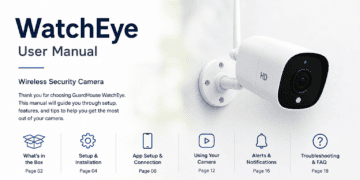
The GuardHouse WatchEye is a compact, battery-powered wireless security camera positioned as a low-cost alternative to installed systems and subscription cameras like Ring or Nest. It’s built around three pitches: no drilling (magnetic mount), no monthly fee (local SD storage), and a price low enough to buy several without a real budget conversation.
That combination targets a specific buyer, not everyone. It’s aimed at renters who can’t drill into siding or brick, apartment dwellers who want a doorway or porch view without a landlord conversation, budget-conscious homeowners who want package-theft coverage without a $200-plus Ring subscription commitment, and people testing whether a camera changes their peace of mind before investing in a fuller system. It is not aimed at buyers who need a single, do-everything perimeter camera with license-plate-level clarity, cloud backup redundancy, or professional monitoring integration.

How the WatchEye Actually Works
Mechanically, this is a straightforward device: a battery-powered camera unit with a PIR motion sensor, an infrared LED array for night vision, a WiFi radio for phone connectivity, and a microSD card slot for local video storage. When the PIR sensor detects heat-signature movement in its range, it triggers recording and pushes a phone notification through the companion app, assuming the camera has WiFi signal at the time.
The magnetic base is the actual engineering trick that makes the no-drill pitch work: instead of screwing a bracket into a wall, GuardHouse ships a metal mounting plate that attaches with adhesive or screws (your choice, but adhesive avoids drilling entirely), and the camera body magnetically clicks onto that plate, rotating freely for angle adjustment. This is a well-established design pattern in the budget camera space, not a GuardHouse invention, but it’s implemented competently here based on the setup reports we reviewed.
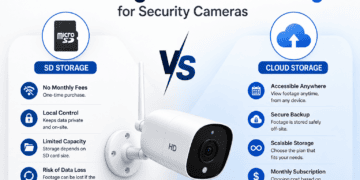
Because there’s no cloud subscription, there’s no ongoing internet-dependent storage. Footage lives on the SD card in the unit itself, which is the source of both its best feature (no monthly fee, genuine data ownership) and its most significant structural weakness: if someone steals the camera, they take the footage with it. For a package-theft use case specifically, that’s a real, non-trivial risk worth thinking through before you buy: the exact scenario the camera exists to catch on video is also the scenario where the evidence can walk away with the culprit.
Real-World Experience: What Buyers Actually Report
We did not personally test a unit for this review, so what follows is synthesized from buyer reports across BBB-adjacent platforms, review aggregators, and support-thread documentation, not first-hand testing. We’re labeling it that way because fabricating a hands-on narrative for a product we didn’t test would be dishonest, and dishonest reviews are worse than no review.
The consistent positive pattern across multiple independent buyer accounts: setup genuinely takes 15 to 20 minutes including the app download, motion detection reliably catches movement including pets (which some buyers flag as a minor annoyance, generating extra notifications), and daytime footage is clear enough to identify a person’s build and clothing at typical porch distance. One long-term buyer account described eight months of use monitoring a busy area with battery recharge intervals of “every few months,” and reported the camera capturing footage clear enough for police identification in an actual package-theft incident.
The consistent negative pattern: night footage quality draws more criticism than day footage, the weatherproofing gap surfaces repeatedly in outdoor-placement complaints, and a subset of buyers report difficulty reaching customer service for refund requests, specifically citing no easily located phone number or physical address on the main site. That last point matters regardless of how good the camera itself is: a return-window guarantee is only as good as your ability to actually exercise it, and multiple independent reports suggest that process has friction.
Features and Benefits: What You Actually Get
Local SD storage with no subscription
This is the WatchEye’s strongest, most defensible selling point, and it’s real. Most competitively priced wireless cameras (Ring, Wyze, Blink) either require a subscription for cloud recording or severely limit what free-tier local storage can do. GuardHouse’s local-only model means your footage costs nothing ongoing, but it also means there’s no off-site backup if the unit is damaged, stolen, or its card corrupts. For a package-theft deterrent specifically, that trade-off deserves a second thought: the footage that would identify a thief lives inside the object the thief has direct physical access to.
Magnetic, tool-free mounting
The mounting system is a genuine convenience win for renters and anyone who doesn’t want to commit to a drilled hole. It also means repositioning the camera, seasonally or after a false-alarm pattern reveals a better angle, takes seconds rather than a full re-install.
Infrared night vision
Functional, per every source we reviewed, but with the caveat already covered under Claim 2: expect usable-but-grainy night clarity, not crisp detail. For a porch-light-adjacent placement, ambient light helps meaningfully; for a fully dark backyard corner, expect the infrared boost to do most of the work and the footage to look like it.
Wide-angle 150° field of view
A wide field of view is genuinely useful for a single-camera setup covering an entryway, since it reduces the number of blind-spot gaps a narrower lens would leave. No independent source contradicted this spec, which is a point in its favor relative to the resolution and weatherproofing claims.
App-based live viewing and alerts
The free companion app allows live feed access and clip review, per the order page and consistent with buyer reports, with no independent contradiction found on this specific point. Motion-triggered push notifications work as expected, though several buyers note tuning sensitivity down slightly to reduce pet-triggered false alarms.
Pros and Cons
| Pros | Cons |
|---|---|
| Genuine no-subscription local storage — real ongoing savings | Not actually weatherproof despite the marketing claim; covered/indoor placement recommended |
| No-drill magnetic mount, renter-friendly | Night footage clarity closer to standard than true HD |
| $39 entry price, cheaper in multi-packs | Guarantee terms contradict each other on the same order page (90-day vs 30-day) |
| Wide 150° field of view reduces blind spots | Stolen camera also removes the footage that would identify the thief |
| Setup consistently reported at 15–20 minutes | Requires 2.4GHz WiFi specifically; not stated on the order page |
| Long-term buyer reports (8+ months) describe reliable battery performance | Customer service reachability is a recurring complaint in refund-related reports |
How the WatchEye Compares
Round 1: GuardHouse WatchEye vs Wyze Cam v3
Wyze Cam v3 is the budget category’s default comparison point for a reason: it’s cheaper per unit in most bundles, offers a genuinely weatherproof IP65 rating out of the box (a direct answer to the WatchEye’s weakest claim), and supports both local microSD storage and an optional cloud tier. Where the WatchEye wins is mounting flexibility and battery-only operation; Wyze v3 needs a nearby power outlet, which limits placement options a magnetic, battery-powered unit doesn’t have. If your placement has power nearby and you specifically care about weatherproofing, Wyze is the stronger pick. If you need a spot with no outlet access, the WatchEye’s battery independence is the deciding factor.
Round 2: GuardHouse WatchEye vs Blink Mini / Blink Outdoor
Blink’s ecosystem (owned by Amazon) offers tighter smart-home integration, particularly for Alexa households, and Blink Outdoor is independently rated for genuine outdoor exposure. The trade-off is Blink’s cloud storage model, which nudges toward a subscription for full functionality even though a free local-storage option exists via the Sync Module. For a buyer who already has an Echo device and wants voice integration, Blink is the more coherent ecosystem choice. For a buyer who wants zero subscription pressure and doesn’t care about Alexa integration, the WatchEye’s flat, one-time cost is simpler.
Round 3: GuardHouse WatchEye vs Ring Stick Up Cam
Ring remains the category’s brand-recognition leader, with the deepest neighborhood-alert network effect (Ring Neighbors) and the most mature app ecosystem. It’s also the most expensive path here by a wide margin once you factor in Ring Protect’s monthly cloud-storage subscription, which is functionally required to unlock video history beyond live viewing on most Ring models. If neighborhood-network visibility and long-term brand support matter more to you than upfront cost, Ring is the safer, more expensive choice. If your priority is avoiding a recurring bill entirely, the WatchEye’s local-storage model is the more honest fit for that specific priority, even with its other gaps.
Pricing and Value Analysis
At $39 for a single unit, the WatchEye undercuts Wyze, Blink, and Ring on sticker price in almost every configuration, and multi-unit bundles push the effective per-camera cost lower still. Set against a genuinely subscription-free storage model, that’s a real value proposition, not just marketing framing, and it’s the clearest reason to consider this camera over its better-known competitors.
Where the value case weakens is in what you’re not getting for that price: no verified weatherproof rating, night footage that undersells the “HD” framing, and a guarantee policy that can’t currently tell you clearly whether you have 30 or 90 days to change your mind. None of these individually sink the value case, but stacked together, they mean the WatchEye is a fair budget option for the right placement, not an unambiguous best-in-class value the way the sticker price alone might suggest.
The value-hunter’s honest math: if you’re placing this in a covered, indoor-facing, or partially sheltered spot, and you’re comparing it against a $10-a-month subscription camera over three years ($360-plus), the WatchEye’s one-time $39 to $79 (for a two-pack) is a genuinely strong trade. If you need a fully exposed outdoor spot with reliable night detail, you’re better served paying more upfront for a camera with a real IP rating, because the WatchEye’s savings evaporate the first time weather damage or unusable night footage forces a replacement purchase.
Best For
- Renters and apartment dwellers who can’t drill into walls or siding and need a genuinely no-tool installation
- Budget-conscious buyers covering multiple entry points who want to avoid a recurring monthly bill across several cameras
- Covered-porch and indoor-facing placements — doorways, covered entries, garage interiors facing a driveway, window-facing indoor spots
- First-time camera buyers testing whether a security camera changes their peace of mind before committing to a pricier, subscription-based system
- Package-theft deterrence in low-to-moderate risk areas, where visible camera presence alone does meaningful deterrent work regardless of footage perfection
Who Should NOT Buy the WatchEye
- Anyone needing genuine outdoor weatherproofing for a fully exposed placement in a wet or snowy climate — the ports aren’t sealed for that, regardless of the marketing language
- Anyone who needs license-plate-level or face-at-distance clarity, especially at night — the resolution gap between claim and reality matters most here
- Anyone relying on cloud backup for evidence security — a stolen camera takes its own footage with it, which defeats the purpose for high-value package or vehicle monitoring
- Buyers on a 5GHz-only or dual-band-combined-SSID router setup who aren’t comfortable adjusting router settings — expect a connectivity headache without that fix
- Anyone who has specifically had a bad refund experience with a similar CPA-offer camera before — the contradictory guarantee terms and reported customer-service friction are real risk factors to weigh before paying
Expert Tips for Getting the Most Out of the WatchEye
- Place it under an eave, overhang, or in a covered entry, never in direct rain exposure. This single decision does more for long-term reliability than anything else on this list.
- Split your router’s 2.4GHz band into its own SSID before setup if your router currently broadcasts a combined 2.4/5GHz network name, to avoid a false “defective camera” troubleshooting spiral.
- Screenshot your checkout confirmation page immediately, capturing whichever guarantee language displays at that exact step, given the page’s internal 30-day/90-day inconsistency.
- Decline any add-on “monitoring” service at checkout unless you’ve independently confirmed what it includes and specifically want it.
- Angle the camera to include a porch light or other ambient light source in frame if possible, to meaningfully improve night footage clarity beyond what the infrared boost alone delivers.
- Tune motion sensitivity down slightly if you have pets in the detection zone, based on the consistent buyer pattern of pet-triggered false alerts.
- Back up SD card footage manually on a schedule you set yourself (weekly is reasonable) rather than relying on the card as permanent storage, especially for any clip you might need as evidence.
Common Mistakes Buyers Make
- Mounting it in a fully exposed outdoor spot expecting true weatherproof performance. Fix: covered placement only, or budget for a supplemental housing.
- Assuming the guarantee window is 90 days without confirming at checkout. Fix: screenshot the terms shown at your specific purchase, and act well inside 30 days if in doubt.
- Connecting via a 5GHz network and assuming the unit is defective when it won’t pair. Fix: confirm 2.4GHz specifically before troubleshooting anything else.
- Relying on the camera as the sole evidence source for a high-value item, with no backup plan if the unit itself is taken. Fix: manual SD backups, or pair with a second camera angle that isn’t as easily reached.
- Buying based on the “69% off” framing rather than evaluating $39 on its own merits. Fix: judge the flat price against comparable no-subscription cameras, not against an unverifiable “original” price.
Buying Guide: Choosing a Budget No-Subscription Security Camera
If the WatchEye’s specific trade-offs don’t fit your situation, here’s what actually matters when shopping this category more broadly.
Decide on storage model first. Local-only storage (like the WatchEye) means no monthly fee but no off-site backup. Cloud storage means an ongoing cost but survives the camera being stolen or destroyed. There’s no universally correct answer here; it depends on whether your bigger fear is a recurring bill or losing evidence along with the hardware.
Check for an actual IP rating, not just the word “weatherproof.” A camera genuinely built for direct outdoor exposure will publish an IP65 or higher rating explicitly. If a product page uses “weatherproof,” “handles rain and snow,” or similar language without a number attached, treat it as indoor/covered-use language until proven otherwise.
Confirm the WiFi band requirement before buying, especially if your router setup is unusual (mesh systems, combined SSIDs, or 5GHz-only networks in some rooms). This single detail causes a disproportionate share of “my camera won’t connect” support tickets across this entire product category, not just GuardHouse.
Match resolution claims to your actual use case. If you need to identify faces or read text at any real distance, don’t rely on marketing resolution numbers alone; look for independent sample footage or buyer-uploaded clips wherever you can find them before buying.
Read the guarantee terms at the moment of purchase, not from a general FAQ page. Terms on CPA-style landing pages can be inconsistent, as this review documents directly, and the version you agreed to at checkout is the one that matters if a dispute arises.
Frequently Asked Questions
Is the GuardHouse WatchEye a scam?
Does the GuardHouse WatchEye actually work outside?
How long does the GuardHouse WatchEye’s battery last?
Does the GuardHouse WatchEye require WiFi, and does it matter which band?
Can the GuardHouse WatchEye footage be stolen along with the camera?
Is the GuardHouse WatchEye actually 30 days or 90 days for returns?
Is the video quality really 1080P, or 4K, or something else?
Does the GuardHouse WatchEye have a monthly fee?
How does the GuardHouse WatchEye compare to Wyze Cam v3?
Where can I buy the GuardHouse WatchEye safely?
Is the GuardHouse WatchEye good for stopping package theft?
Final Verdict: Is the GuardHouse WatchEye Worth It?
Overall Score: 6.8 / 10
| Subscore | Rating |
|---|---|
| Value for money | 7.5 / 10 |
| Build quality & weatherproofing | 5.0 / 10 |
| Video/night performance | 6.0 / 10 |
| Ease of setup & ownership costs | 8.5 / 10 |
Here’s the honest read after checking every major claim on this camera’s own order page. The GuardHouse WatchEye earns real credit for what it structurally is: a genuinely subscription-free, battery-powered, no-drill security camera at a price that undercuts every name-brand competitor. That’s not marketing spin; the local-storage model and magnetic mount are real, verifiable design choices that deliver exactly what they promise.
But three of the order page’s own claims don’t survive contact with independent buyer reports and the page’s own internal contradictions. It is not genuinely weatherproof, despite explicit “rain, snow, heat” language. Its video clarity, particularly at night, undersells the “HD” framing it’s marketed under. And its own guarantee terms disagree with themselves in two different sections of the same page, which is the kind of detail that should concern a careful buyer more than any single spec claim.
None of that makes this a bad camera for the right use case. Buy it if you have a covered or indoor-facing spot, you’re specifically prioritizing zero ongoing cost over top-tier weatherproofing and resolution, and you’re comfortable screenshotting your checkout terms as insurance against the guarantee-language inconsistency. Skip it if your placement is fully exposed to the elements, or if crisp night-time identification is a hard requirement rather than a nice-to-have.
Buy it if: you want a no-subscription, no-drill camera for a covered porch, doorway, or indoor-facing spot, and $39 to $79 for a multi-pack fits comfortably against what you’d otherwise pay a subscription camera over two to three years.
Skip it if: you need certified outdoor weatherproofing, distance-identification-grade video, or cloud-backed evidence storage that survives the camera itself being taken.
Where to Buy and What to Expect
The WatchEye is sold directly through the manufacturer’s order page at a base single-unit price around $39, with multi-unit bundles bringing the per-camera cost down further. Given the page’s own inconsistent guarantee language, buy directly rather than through a third-party reseller, and keep a record of the specific terms shown to you at the moment of checkout.
Check GuardHouse WatchEye’s current price and availability →
If a covered spot isn’t your setup and you’d rather skip the weatherproofing question entirely, our light-bulb security camera review covers a socket-mounted alternative built for a different placement problem. For layering security beyond a single camera, our smart lock testing and a wireless motion light we’ve tested both pair naturally with a porch camera setup. For the full rundown of what we’ve tested in this category, see the smart home gadgets we’ve tested.