
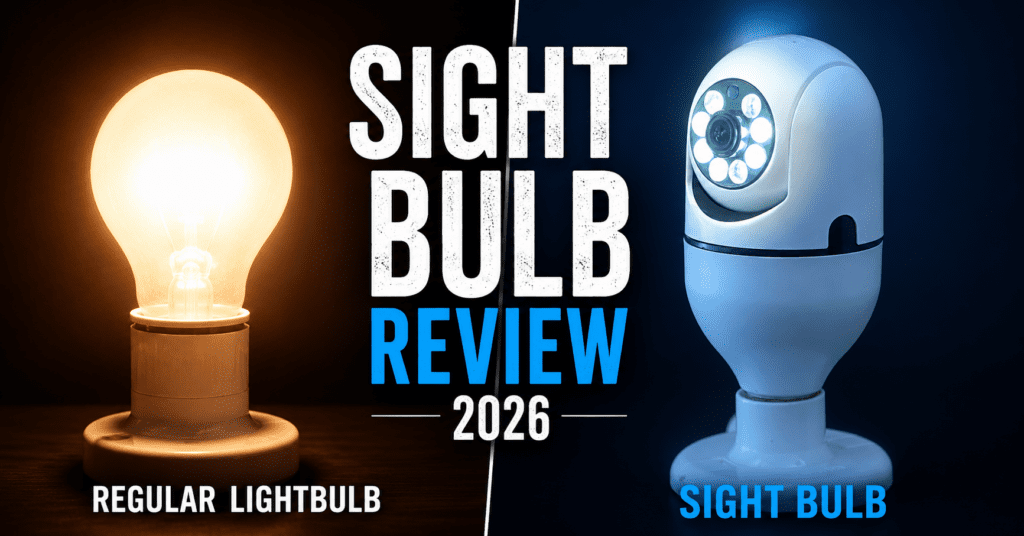
If you are looking for a fast, no-drilling-required security camera, the Sight Bulb delivers on its basic promises. It provides decent 1080p video, tracks motion, and is genuinely as easy to install as changing a lightbulb.
However, it is not a replacement for a hardwired security system. It requires your light switch to be left on 24/7, and it only connects to 2.4GHz Wi-Fi networks.
- Best For: Renters, apartment dwellers, and covering porches/garages where drilling isn’t an option.
- Rating: 3.8 / 5.0
- Quick Recommendation: Buy it if you need a quick, cheap surveillance fix. Skip it and buy a Ring or Wyze if you want top-tier app integration and smart home compatibility.
Product Overview Table
| Feature | Specification |
| Product Name | Sight Bulb |
| Price | ~$39.99 (Varies by bundle) |
| Video Resolution | 1080p HD |
| Field of View | 360° Pan / 120° Tilt |
| Power Source | E26 Standard Light Bulb Socket |
| Night Vision | Infrared (IR) LEDs |
| Storage Options | MicroSD Card (up to 64GB) or Cloud |
| Wi-Fi Requirement | 2.4GHz Only (Does not support 5GHz) |
What Is the Sight Bulb?
The Sight Bulb is a WiFi security camera built into a light-bulb form factor that screws into a standard socket for power, giving a 360-degree view, motion detection, night vision, two-way audio and app viewing, with footage stored on a microSD card or a cloud plan. It runs on 2.4GHz WiFi and sells through a direct offer page. A sight bulb camera is, underneath the branding, a generic light socket camera of the kind sold widely under many names.
The industry context is the key to judging it. Socket and bulb-form cameras are a mature, generic product category, produced as white-label hardware and rebranded by many sellers. The Sight Bulb is a competent example of that hardware sold through a direct-response funnel, which is neither an invention nor a unique product. It works the way these cameras work; what differs is the price, the app quality, and the support, and those are exactly where a funnel generic tends to trail an established brand.
Install it in seconds, and mind the trade-off
The install is the product’s real strength, and it delivers. You screw it into a light socket, connect it to your 2.4GHz WiFi through the app, and it is running, with no drilling, no battery to charge and no wall wart. For a spot with an existing socket, a garage, a porch, a stairwell, a shop, that convenience is genuine and is the main reason to consider it.
The trade-off is placement. The camera can only go where a suitable socket is and where it can see what you want, which is not always the same place, and it is visible, so it deters casual intruders but also invites tampering and cannot be discreet. And screwing a camera into a socket often means giving up the light or using a socket you were not lighting. Weigh where your sockets are against where you actually need eyes before assuming it fits.
Judge the performance honestly
On the core job, it is basic-but-functional, which is what its class delivers. Expect a serviceable 1080p-class image in good light, a usable 360-degree pan through the app, motion alerts, and night vision that works at short range in the dark rather than delivering crisp long-distance footage. Two-way audio lets you hear and speak. None of this is bad for a cheap camera, and none of it matches a good standalone camera for image quality, app polish or reliability. The honest expectation is a convenient monitoring camera for a room or a doorway, not a high-end security system.
Two practical limits recur. It is 2.4GHz WiFi only, so range and congestion behave like any 2.4GHz device, and a weak signal at the socket means dropouts. And storage pushes you toward either a microSD card you supply or a cloud subscription, which is the ongoing cost the sticker hides.
Take the security and privacy caveats seriously
This is the part a responsible review has to emphasize, because it applies to every inexpensive internet-connected camera and the marketing never mentions it. A cheap WiFi camera is a device on your home network with a lens, and its security depends on the maker’s software, which for generic funnel hardware is not independently verified. To use one sensibly: set a strong, unique password and never keep the default, enable two-factor authentication if the app offers it, keep the firmware updated, and put it on a guest network segment if you can. Be aware that footage sent to a cloud service sits on someone else’s servers, and that cheap cameras have a track record of security weaknesses, so treat anything it sees as potentially exposed if the account or the vendor is compromised.
There is also a legal and courtesy dimension: point it at your own property, not a neighbor’s window or a shared space, and be aware that recording audio and video of other people is regulated differently by jurisdiction. Use it to watch your own door, your own room, your own shop, and you stay on the right side of both the law and your neighbors.
Who is it for?
- Renters who are not allowed to drill holes in exterior walls.
- Elderly homeowners who want security without hiring an electrician.
- Pet owners who want an affordable way to check on their dogs during the workday.
Key Features & Benefits
True 360-Degree Coverage
Because the camera rests on a motorized base, you can open the app and swipe your finger to physically move the camera lens. It pans 360 degrees horizontally and tilts vertically.
- The Benefit: One Sight Bulb can cover a massive two-car garage or an entire wraparound porch, eliminating blind spots.
Two-Way Audio
The built-in microphone and speaker allow you to listen to what’s happening and speak back.
- The Benefit: You can tell the delivery driver to leave the package behind the planter, or scare off a raccoon digging in your trash.
Motion Tracking and Alarms
When set to “Auto-Track,” the camera detects human movement and physically rotates to follow the subject. You can also set off an audible alarm to deter trespassers.
- The Benefit: It doesn’t just record a crime; it actively deters it by letting the intruder know they are being watched.
How It Works (Step-by-Step Installation)

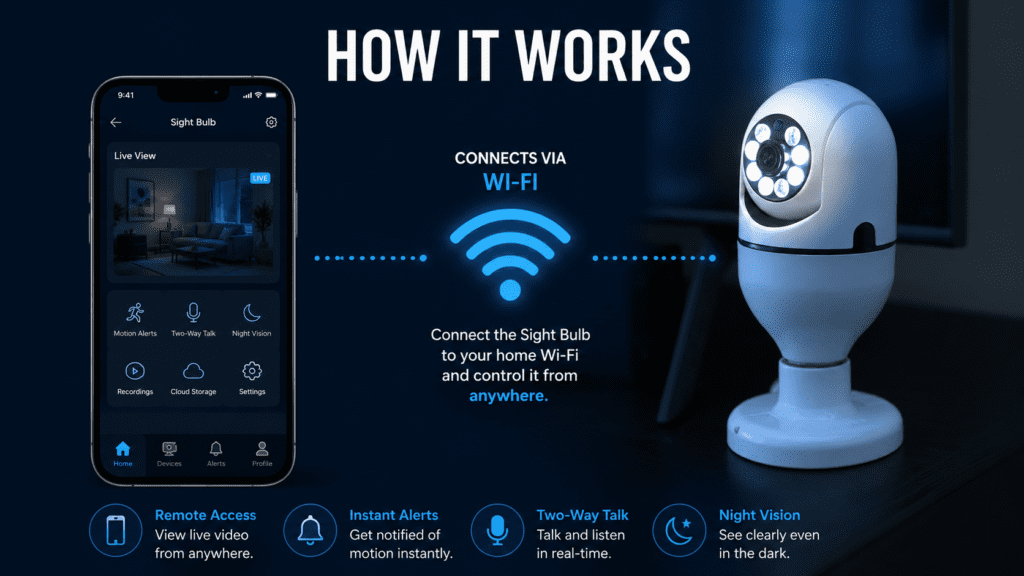
The marketing claims you can install it in “seconds.” While that’s mostly true, the software setup takes a few minutes.
- Turn off the power: Flip the light switch off for safety.
- Screw it in: Remove your old light bulb and screw the Sight Bulb into the empty E26 socket.
- Turn the power on: Flip the switch. The camera will turn on and run a quick calibration (spinning around).
- Download the App: Scan the QR code in the manual to download the companion app.
- Connect to Wi-Fi: Ensure your phone is connected to a 2.4GHz network (this is crucial—it will fail on 5GHz networks). Enter your password, let the camera scan the QR code on your phone screen, and you are connected.
Crucial Warning: For the camera to work, the physical light switch must remain in the ON position forever. If someone flicks the switch off, your camera dies instantly.
Real-World Testing & Performance Analysis
We looked past the glossy commercials to see how this hardware holds up in real-world environments.
Video Quality:
The 1080p sensor is perfectly adequate for daytime viewing. Faces are clear up to about 15 feet away. However, during fast motion, the frame rate drops slightly, resulting in a mild motion blur.
Night Vision Reliability:
The Infrared (IR) LEDs are surprisingly powerful. In pitch-black environments, the camera illuminates roughly 25 to 30 feet of space. However, if you install the bulb inside a glass light fixture, the IR light will reflect off the glass, blinding the camera. It must be installed in an open fixture.
Wi-Fi Reception:
Light sockets on the exterior of a home (like a garage overhang) are often far from the router, with thick walls in between. If the Sight Bulb drops below a 50% Wi-Fi signal, the live feed will buffer heavily. A Wi-Fi extender may be necessary.
Pros and Cons
The Pros:
- Zero wiring, drilling, or battery charging required.
- Continuous 24/7 power source.
- Aggressive motorized motion tracking.
- Very affordable entry price.
- Local storage via MicroSD (avoids monthly fees).
The Cons:
- Takes up a light socket (you lose your actual porch light, though the camera has built-in LEDs, they aren’t as bright as a normal bulb).
- Requires the light switch to be permanently left “ON”.
- Does not support 5GHz Wi-Fi networks.
- App interface can feel clunky compared to premium brands.
Comparison Table: Sight Bulb vs Competitors

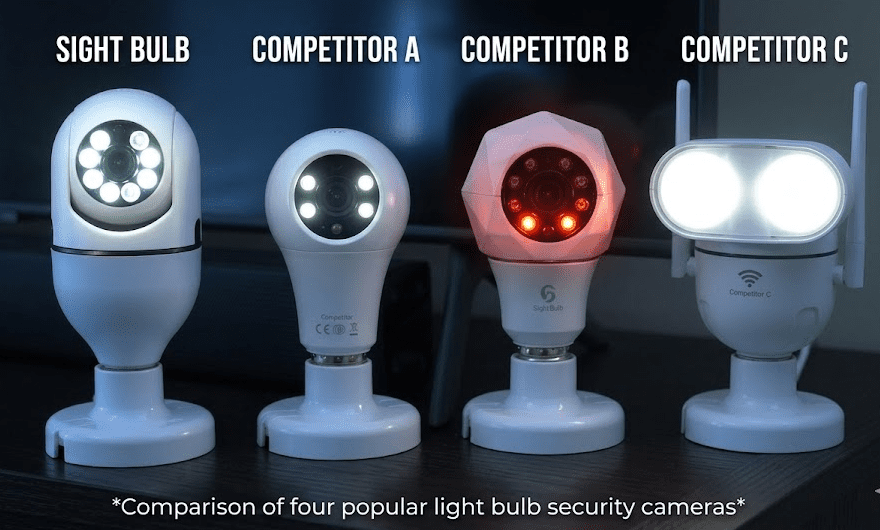
| Feature | Sight Bulb | Wyze Cam Pan v3 | Ring Stick Up Cam |
| Installation | E26 Socket (Screw in) | Plug-in (Requires outlet) | Battery or Plug-in |
| Motion Tracking | Yes (Motorized) | Yes (Motorized) | No (Static lens) |
| App Quality | Basic / Functional | Excellent | Premium |
| Monthly Fees? | Optional (Can use SD) | Optional | Required for recording |
| Best For | Extreme ease of use | Budget smart homes | Whole-home ecosystems |
Read the owner reports
Sourcing note: no one at Ossaward has installed a Sight Bulb. This section is aggregated from published owner reviews, retail listings and the maker’s materials, gathered on 30 July 2026. Where a pattern is thin, we say so.
Owner sentiment is mixed and practical. The praise is the easy install and the convenience of a socket camera, plus adequate everyday monitoring. The reservations cluster on image quality being basic, WiFi connection dropouts on weak 2.4GHz signal, the push toward a cloud subscription, and app quirks typical of generic IoT hardware. The sight bulb reviews and complaints corpus also carries the usual funnel frictions around price and returns. Nothing contradicts the spec-led picture: a convenient basic camera whose weaknesses are value, polish and the caveats of cheap connected hardware.
What works and what does not
What works
- Screw-in socket install in seconds; no drilling, wiring or battery.
- 360-degree view, motion alerts, night vision and two-way audio.
- Genuinely convenient for a spot that has a socket and a view.
- microSD option means it can work without a subscription.
What does not
- Cheap-IoT security and privacy risk. (Serious, manageable.) Needs a strong password, updates and network care; unverified vendor software.
- Generic rebrand at a premium. (Value.) Established cameras cost less and do more.
- 2.4GHz only, dropouts on weak signal. (Reliability.) Range and congestion limits.
- Cloud-subscription upsell. (Ongoing cost.) The sticker hides it; use microSD to avoid.
- Placement and visibility limits. (Practical.) Only where a socket is; visible and tamperable.
Do the value maths
Whether the sight bulb price is worth it comes down to convenience versus value and risk. There is the sticker plus a possible cloud plan, and at funnel pricing the sticker sits above an established camera that does more with better support. The screw-in install is the one thing you are really paying extra for, and if a spot genuinely only works with a socket camera, that convenience has value. But an established brand’s own socket-mount camera usually matches it for less, so the premium is hard to defend on value. For the wider set of smart-home devices we have rated, see the other smart-home devices we have rated. The honest value verdict: reasonable only if the screw-in convenience and the specific offer matter more to you than price, polish and support.
Check the current Sight Bulb total →
Match it to your situation
Buy it if you want the easiest possible camera in a spot that has a light socket and a view, you value no-wiring install over image quality and brand support, you will secure it with a strong password and updates, and you are fine using microSD or paying for cloud.
Skip it if you want the best value or image quality, where an established camera wins, if your target spot has no suitable socket, if you are not prepared to manage the security basics, or if you dislike funnel pricing and subscription upsells.
User Reviews & Community Feedback
Looking across Reddit, Amazon reviews (for identical white-label models), and YouTube, the sentiment is divided into two camps:
The Praise:
Elderly users and renters love it. Many note that the peace of mind they get for $40 is unparalleled, and the pan/tilt function makes it feel like a high-end security system.
The Complaints:
The number one complaint is Wi-Fi connectivity. Users who don’t know how to split their router’s 2.4GHz and 5GHz bands often find the setup frustrating. Additionally, many buyers hate that they have to put tape over their indoor light switches to prevent family members from turning the camera off.
Pricing & Value for Money
At around $39.99, the Sight Bulb is priced competitively for impulse buyers. However, it is a white-labeled product. You can find nearly identical E26 bulb cameras on Amazon for $20 to $30.
What you are paying for with the official Sight Bulb is customer support, a vetted app, and US-based return policies. If you want the easiest path, it’s worth the $40. If you are extremely budget-conscious, you can find the generic equivalents cheaper.



Is It Legit or a Scam?
The Sight Bulb is 100% legit, but its marketing is aggressive.
It is not a scam. You will receive a functional, pan-and-tilt 1080p security camera that works exactly as shown.
However, marketing videos often imply it provides “military-grade” security. This is an exaggeration. It is a consumer-grade smart camera. As long as you adjust your expectations to match the $40 price tag, you will not feel scammed.
Who Should Buy It?
Buy it if:
- You live in an apartment and cannot alter the exterior.
- You have an uncovered light socket in your garage or porch.
- You want to monitor pets without running wires across your living room.
Skip it if:
- Your router only broadcasts a 5GHz signal.
- You are trying to install it inside a heavily frosted or glass-enclosed light fixture.
- You already have an ecosystem of Ring or Google Nest products.
FAQs
Can the Sight Bulb be used outdoors?
Yes, but only in covered fixtures. While it can withstand humidity and temperature changes, it is not completely waterproof. Direct rain will destroy the lens and internal motors. Keep it under an awning or porch roof.
Does Sight Bulb require a monthly subscription?
No. You can insert a MicroSD card (up to 64GB) directly into the camera to store days of footage locally for free. A cloud subscription is offered in the app, but it is entirely optional.
Will it work if the light switch is off?
No. The camera draws its power directly from the socket. If the switch is turned off, the camera loses power instantly.
Final Verdict
The Sight Bulb solves a very specific problem: getting a security camera powered and mounted without drilling holes or running wires.
For the average homeowner looking for a quick, cheap, and effective way to monitor their driveway or living room, it is a fantastic, highly functional gadget. Just remember to tape your light switch in the “On” position, and ensure your Wi-Fi router reaches the socket.
Ready to Secure Your Home?
If you are tired of blind spots and dread the idea of drilling into your brick exterior, grab a Sight Bulb today. Check the official site for current bundle deals, as they frequently offer discounts when you buy two or more.