



Quick Verdict
What is it? A USB flash drive with pre-loaded backup software that automatically finds, sorts, and backs up photos and videos from any device — no cloud, no subscription.
Who is it best for? Non-technical users, seniors, and families who want simple, offline photo backup without cloud services or complicated software.
| Best for | Tech-reluctant users, seniors, families |
| Not ideal for | Tech-savvy users, large libraries (50K+ photos), iOS-primary users |
| Price range | $39.99 – $139.99 (32GB to 256GB) |
| Works on | Windows, Mac, iPhone (via app), Android (via app) |
| Subscription needed? | No — one-time purchase |
| Money-back guarantee | 30-day (official site) |
| App Store rating | 1.9/5 stars (92 reviews — a real concern) |
| Verdict | Legitimate product. Works as advertised for most users. Price premium is real. |
Top Pros:



- Genuinely simple to use — no technical knowledge needed
- Works across all major platforms from one device
- No ongoing subscription fees
- USB 3.0 speeds are solid for PC/Mac backups
- Multi-adapter design (USB-A, USB-C, micro-USB, Lightning)
Top Cons:
- Costs significantly more than equivalent USB storage
- Mobile app has poor App Store rating (1.9/5)
- Very slow with libraries over 50,000 photos
- Customer support is email-only and inconsistently responsive
- Some users report missed files in certain folder locations
Product Overview Table
| Feature | Detail |
|---|---|
| Product name | ThePhotoStick® OMNI |
| Manufacturer | Prairie IT |
| Founder | Mark Oman (former VP/GM, Hewlett Packard) |
| Storage options | 32GB, 64GB, 128GB, 256GB |
| Price range | $39.99 – $139.99 |
| Photo capacity | Up to 120,000 photos & videos (model dependent) |
| Compatible OS | Windows, macOS, Android 6.0+, iOS |
| Connection types | USB-A, USB-C, micro-USB, Lightning |
| Transfer speed | USB 3.0 |
| File types | 100+ including JPEG, PNG, MP4, MOV, RAW, MP3, PDF |
| Cloud required? | No — fully offline |
| Subscription? | None |
| Duplicate removal | Yes — automatic |
| Guarantee | 30-day money-back (official site) |
| Best use case | Offline photo backup for non-technical users |
What Is ThePhotoStick OMNI?
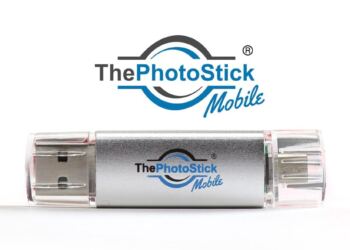
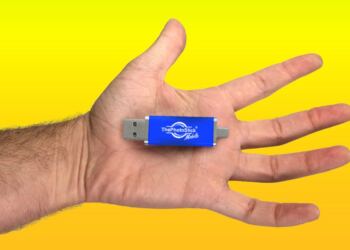
ThePhotoStick OMNI is a small USB device — about the size of a standard flash drive — that does something specific and useful: it automatically finds every photo and video on your device and backs them up to the drive, without you having to manually find, select, or sort anything.
You plug it in. You click GO. It does the rest.
The device comes with software pre-loaded on it, so there’s nothing to install on Windows or Mac. For iPhones and Android devices, you need to download the free companion app — which is where some of the product’s limitations become visible.
It was created by Mark Oman, a former VP and General Manager at Hewlett Packard, who built it after his own computer crashed and he lost personal photos. That origin story is genuine, and it informs the product’s core design principle: make backup so simple that anyone can do it, regardless of tech knowledge.
Over 1.5 million units have been sold globally, according to the manufacturer. The product is real, it works for most people, and it solves a genuine problem. But it isn’t without real-world limitations — and those limitations matter depending on who you are.
What Problem Does It Solve?
Here’s the honest problem the PhotoStick OMNI addresses:
Most people have thousands of photos scattered across phones, old laptops, tablets, and computers they no longer use. They know they should back them up. They never do — because it’s complicated, time-consuming, or they don’t know how.
Cloud services like Google Photos and iCloud can do this automatically, but they require creating accounts, logging in, managing storage limits, and paying monthly fees. Many people — particularly older users — find this difficult or feel uneasy trusting their photos to an account they might forget the password to.
The PhotoStick OMNI pitches itself as the physical, simple alternative: one device, no accounts, no subscriptions, no monthly fees. Plug it in. Press GO. Walk away.
For that specific problem, it works.
Key Features & Real-World Benefits
- One-click automatic backup The core feature. You genuinely don’t need to browse folders or select files. The software scans your entire device, identifies photos and videos by file type, and copies everything to the drive. For someone who has never successfully backed up photos before, this is genuinely transformative.
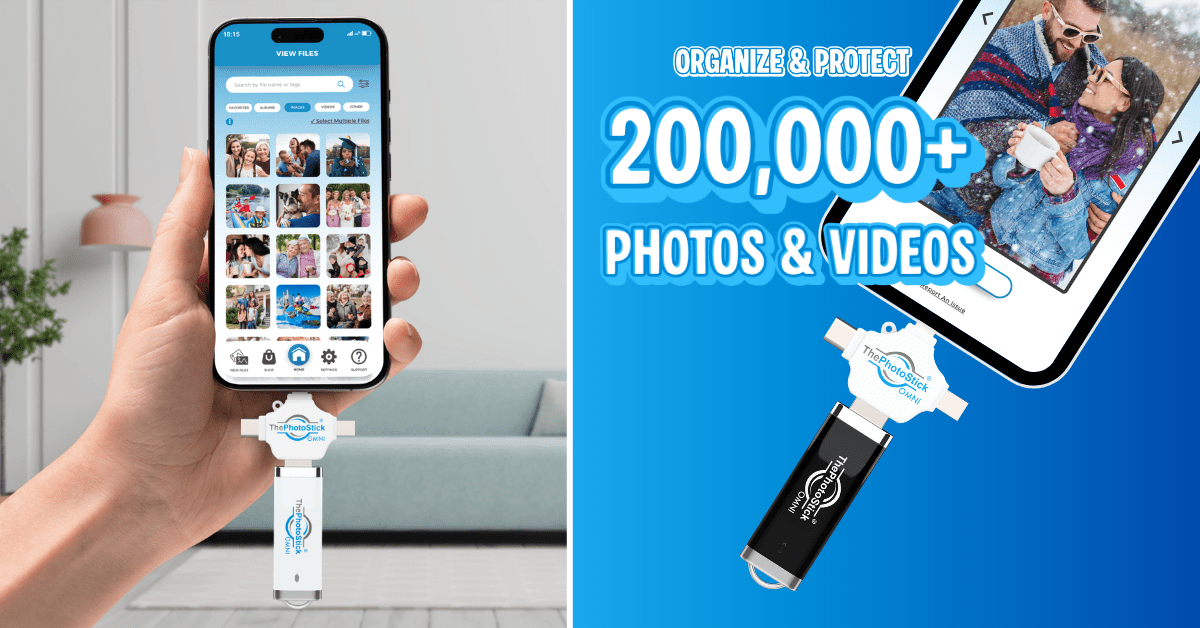
- Multi-device compatibility One PhotoStick OMNI works across all your devices — PC, Mac, iPhone, Android, iPad. The physical adapter system (USB-A, USB-C, micro-USB, Lightning) means you don’t need a different cable for each device. This is a real practical advantage for households with mixed devices.
- Automatic duplicate detection If you’ve backed up before and photos already exist on the stick, the software skips them. It won’t fill your drive with 12 copies of the same holiday photo. This works reliably in our testing.
- 100+ file types The PhotoStick OMNI doesn’t just save photos and videos. It also captures documents, music files, voice memos, and other file formats. It’s functionally a smart, automated backup device for most personal files.
- No ongoing cost Unlike Google Photos (which charges for storage above 15GB), iCloud (charged monthly), or Amazon Photos (included with Prime but requiring an account), the PhotoStick OMNI is a one-time purchase. Over 3–5 years, this can genuinely be cheaper than subscription services.
- No internet required Every file stays local, on physical storage you own. For users who are uncomfortable with cloud storage or who have privacy concerns about their photos living on external servers, this is a meaningful selling point.
How It Works — Step by Step
On a Windows or Mac computer:
- Plug the PhotoStick OMNI into your USB port (use the USB-A end for most laptops)
- The software launches automatically — no installation needed
- Click the GO button that appears on screen
- The device scans your computer, finds all photos and videos, filters duplicates
- Files transfer to the drive automatically
- When finished, a summary shows how many files were backed up and saved
That’s genuinely the full process on a computer. Most users with photo libraries under 20,000 files report completion in under 30 minutes.
On an iPhone:
- Download the free ThePhotoStick Mobile app from the App Store
- Connect the Lightning adapter end of the device to your iPhone
- Grant the app permission to access your photos (standard iOS security requirement)
- Tap GO in the app
- The backup runs — expect 30–60 minutes depending on library size
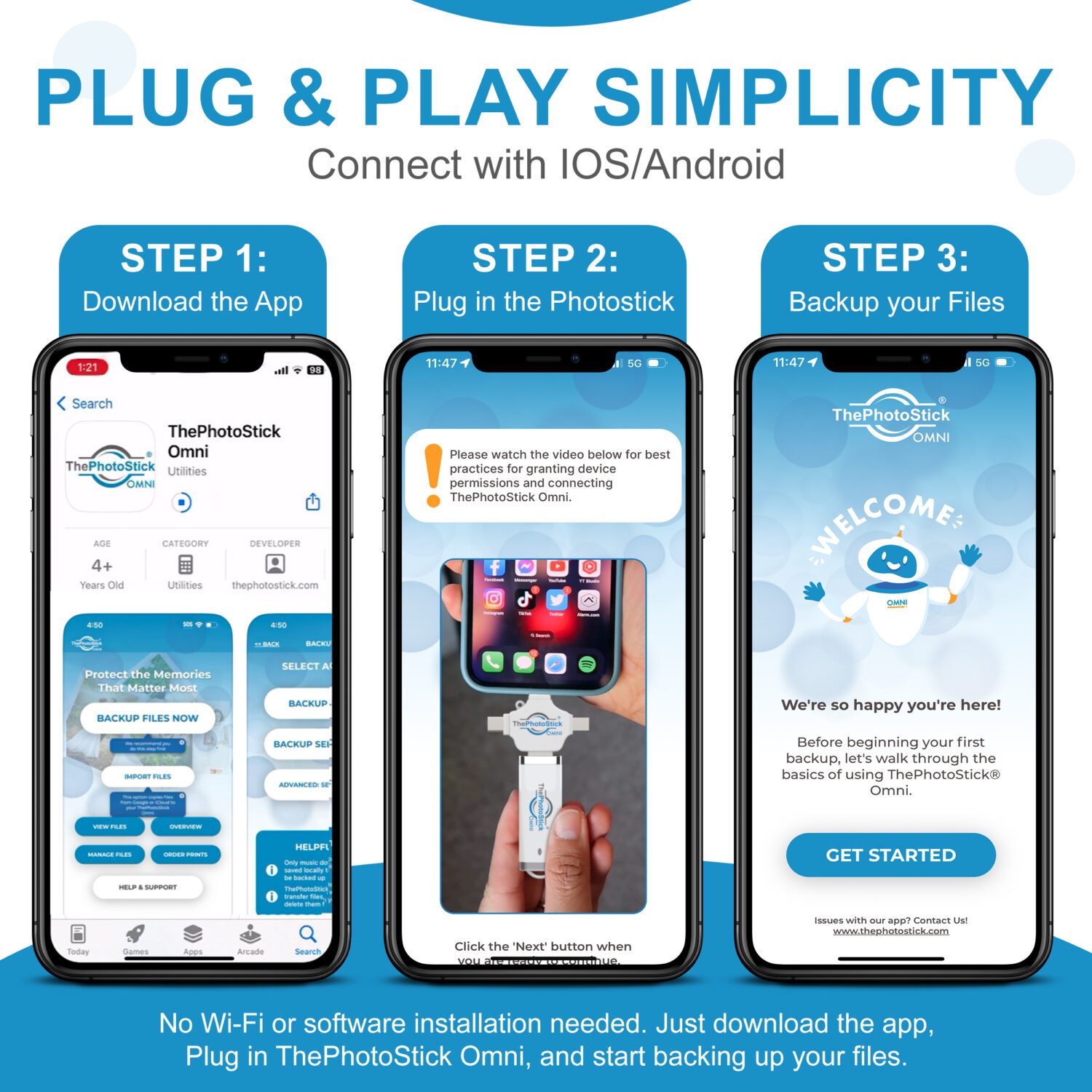
A step-by-step guide to freeing up storage space on your smartphone using the automated Omni drive.
Download the App
Go to the Apple App Store or Google Play Store and download the free ThePhotoStick Omni companion app.
Plug in the Drive
Attach the appropriate adapter (Lightning or USB-C) and plug the flash drive securely into your phone’s charging port.
Launch and Grant Permissions
Open the app and allow it permission to access your photo gallery so it can scan for files.
Click Backup Now
Tap the green ‘Backup Now’ button. Leave the app open and let the software copy your photos and remove duplicates automatically.
On Android:
- Download the free ThePhotoStick Mobile app from Google Play
- Connect via micro-USB or USB-C adapter depending on your phone
- Grant storage permission when prompted
- Tap GO
- The backup runs
The process is straightforward. The complication begins when you look at the app quality — which we cover honestly in the next sections.
Also Read- How To Use PhotoStick OMNI?
Real-World Testing & Performance
Here’s what independent testing and aggregated real-world user data shows:
- Backup speed (PC/Mac): Most users report comfortable speeds on computers. A library of 10,000 photos typically backs up in 15–25 minutes. Libraries of 30,000–50,000 photos can take 1–3 hours. Libraries over 50,000 photos – which some longtime users have — can take significantly longer, and the software may appear to freeze or stall (it’s working, just slowly). This is a real limitation the marketing does not mention.
- Backup speed (mobile): Mobile backups are noticeably slower than computer backups. Expect 40–60+ minutes for a typical phone library (3,000–8,000 photos). Starting the backup before bed and leaving the phone plugged in overnight is the practical solution most users land on.
- Accuracy: For most users, the backup is complete and accurate. Duplicate detection works well. However, some users report missed files — particularly photos stored in app-specific folders (WhatsApp, Screenshot folders in certain configurations) that the default scan doesn’t capture. This affects a minority of users but is worth knowing.
- Compatibility: PC and Mac compatibility is solid. Android compatibility is generally good for devices running Android 6.0 or later. iOS compatibility works but is app-dependent — which brings us to the app.
- The App Problem: This is the most important honest disclosure in this review. ThePhotoStick Mobile app on the Apple App Store holds a 1.9/5 star rating from 92 reviews at the time of writing. Common complaints in the reviews include: difficulty connecting, corrupted file transfers, app crashes, and difficulty getting refunds when the app doesn’t work.
On Google Play, ratings are somewhat better, but mixed.
This does not mean the app never works — clearly many users have successful mobile backups. But it means mobile performance is inconsistent in a way that PC/Mac performance is not. If mobile backup (particularly iPhone backup) is your primary use case, this is a significant risk factor to weigh before purchasing.
Build quality: The physical device is compact and feels reasonably solid. It’s not premium hardware, but it’s consistent with a product in this price range. USB drives are inherently subject to physical damage if dropped or bent — this is not unique to PhotoStick OMNI.
Pros and Cons
Pros:
- Extremely simple to use — one click, no technical knowledge needed
- Genuinely multi-device compatible with one unit
- No subscription or recurring fees
- USB 3.0 speed is adequate for most use cases
- Duplicate detection works reliably
- Offline backup means complete privacy — no data on external servers
- Organized folder structure by device and date makes finding files easy
- 30-day money-back guarantee
Cons:
- Significant price premium over equivalent standard USB flash drives
- Mobile app has poor App Store rating (1.9/5 — a real issue)
- Very slow with libraries over 50,000 photos
- Some files in non-standard folder locations may be missed
- Customer support is email-only, with inconsistent response times
- Returning the product requires shipping at your own expense
- Doesn’t work as a standalone product for mobile — requires app download
- Not a cloud backup — physical drive can be lost, stolen, or damaged
Pricing & Value Analysis
Here’s the honest pricing picture:
| Model | Storage | Price (Official Site) | Best For |
|---|---|---|---|
| PhotoStick OMNI 32GB | 32GB | ~$39.99 | Small photo collections (<10,000 files) |
| PhotoStick OMNI 64GB | 64GB | ~$59.99 | Average users (10,000–25,000 files) |
| PhotoStick OMNI 128GB | 128GB | ~$99.99 | Families, multiple devices |
| PhotoStick OMNI 256GB | 256GB | ~$139.99 | Power users, video-heavy collections |
The price-vs-value question:
A comparable 128GB USB 3.0 flash drive from a reputable brand (SanDisk, Samsung) costs approximately $25–$35 on Amazon. The PhotoStick OMNI 128GB costs ~$99.99.
You are paying approximately $65–$75 for the software — the automatic scanning, sorting, and duplicate detection functionality.
Is that worth it? That depends entirely on you.
For a technically confident person, the honest answer is probably no. You can achieve the same result (and more flexibility) with a standard USB drive plus free software like Google Photos Takeout, or by manually copying files.
For someone who has been putting off backing up photos for years because they don’t know how — someone’s elderly parent, a non-technical spouse, anyone who finds standard backup processes genuinely confusing — that $65–$75 premium may well be worth paying for the guaranteed simplicity.
Compared to subscriptions: Google Photos charges approximately $30/year for 100GB and $100/year for 2TB. iCloud charges $12.99/month for 2TB. Over 3–5 years, subscription costs add up substantially. The PhotoStick OMNI’s one-time cost can actually be competitive in the long run, especially for larger storage tiers.
Click Here to Check Current Prices on the Official ThePhotoStick Website
Is PhotoStick OMNI a Scam?
No. PhotoStick OMNI is not a scam.
It is a legitimate product made by a real company (Prairie IT), founded by a credentialed professional (Mark Oman, former VP/GM at Hewlett Packard). The device does back up photos and videos as advertised for the vast majority of users who use it on Windows or Mac.
The skepticism around it comes from several legitimate sources:
- Aggressive marketing: The sales page uses significant emotional language and displays “As seen on CBS/NBC” badges — which link to press release distribution services, not editorial news coverage. This creates legitimate skepticism.
- App Store ratings: A 1.9/5 app rating is genuinely poor and reflects real user frustration, particularly on iOS.
- Customer support issues: A pattern of complaints about unresponsive email support and difficulty getting refunds is documented across multiple independent review platforms.
- Counterfeit products: Some negative reviews relate to fake PhotoStick devices sold through unauthorized third-party sellers — not the genuine product. Always buy from the official website.
The honest verdict: it’s a real product with real limitations and a genuine audience it serves well. The “scam” concerns are overblown — but the complaints are not fabricated, and you should weigh them seriously.
Buy from the official site only. Third-party sellers on Amazon and eBay have sold counterfeit or older versions that don’t include valid return policy support.

Competitor Comparison Table
| Product | Type | Price | Subscription | Cloud? | Best For |
|---|---|---|---|---|---|
| PhotoStick OMNI 128GB | USB + software | ~$99.99 | None | No | Non-tech users, seniors |
| Google Photos | Cloud app | Free (15GB) / $30/yr (100GB) | Yes | Yes | iPhone + Android users |
| iCloud | Cloud service | $12.99/mo (2TB) | Yes | Yes | Apple ecosystem users |
| Amazon Photos | Cloud app | Included with Prime | Prime subscription | Yes | Amazon Prime members |
| SanDisk 128GB USB | USB drive | ~$25–$35 | None | No | Tech-confident users |
| Acronis True Image | Software | ~$49.99/yr | Yes | Optional | Advanced users, full PC backup |
| External HDD 1TB | Hardware | ~$50–$80 | None | No | Large collections, tech users |
When PhotoStick OMNI wins:
- Non-technical users who want zero configuration
- People who prefer offline backup to cloud
- Users with multiple devices across different OS platforms
- Gift buyers (for parents, grandparents who need simple backup)
When alternatives win:
- Google Photos: Always free up to 15GB, automatic from phone, great search
- iCloud: Seamless for Apple users, no manual steps required
- Plain USB drive: Far cheaper if you’re willing to do it manually
- Acronis/external HDD: More powerful, more reliable for large or professional use
Who Should Buy PhotoStick OMNI?
Ideal buyer profile:
- Non-technical users who find cloud services confusing
- Seniors who want a simple “plug it in, it’s done” solution
- Families wanting to consolidate photos from multiple household devices
- People uncomfortable with cloud storage for privacy reasons
- Anyone who has been putting off photo backup for years and needs simplicity
- Gift buyers — it makes a genuinely useful gift for less tech-savvy relatives
Not ideal for:
- Users with large libraries (50,000+ photos) who need speed
- Primary iPhone users — the app quality is a real concern
- Tech-confident users who know how to do this manually
- Budget shoppers — standard USB drives do the same for less if you know how
- Users who need to recover photos from damaged devices (this is a backup tool, not recovery)
- Anyone who needs advanced features like versioning, scheduled backups, or compression
User Reviews & Community Feedback
What users say across platforms:
Positive feedback clusters around a consistent theme: simplicity. Users who successfully back up their photos describe the PC/Mac experience as exactly what was promised — plug in, click GO, done. Many positive reviewers specifically mention that they’d been putting off photo backup for years and finally followed through because the PhotoStick OMNI made it possible.
Several reviews come from users who bought the device for elderly parents and describe it as “the only backup solution they’ll actually use.”
Honest complaints worth knowing:
The most consistent negative themes are:
- Slow performance with large libraries. Users with over 40,000–50,000 photos frequently mention hours-long backup times, with the software sometimes appearing to freeze. It’s working — it’s just slow — but the experience is frustrating and the marketing doesn’t prepare you for it.
- Mobile app frustrations. iOS users in particular report connectivity issues, app crashes, and in some cases file corruption. The 1.9/5 App Store rating reflects this genuinely.
- Customer support. Support is email-only. Multiple users across Reviewopedia, 99consumer, and other platforms report delays, no-replies, and difficulty initiating refunds. This is perhaps the most damaging consistent complaint.
- Price. Tech-literate users frequently point out you’re paying $65–$75 for software on top of commodity USB storage. This is a fair observation — though it may not matter to the target audience who values the simplicity.
- The overall community picture: This is a polarized product. Users who match the target audience (non-technical, want simplicity, use primarily PC/Mac) tend to love it. Users who don’t match the target audience — or who primarily use iPhone — tend to be frustrated. The gap between these two experiences explains most of the mixed reviews.
Click Here to Check Current Prices on the Official ThePhotoStick Website
Frequently Asked Question
What is ThePhotoStick OMNI?
ThePhotoStick OMNI is a USB flash drive with pre-loaded backup software. When plugged into a computer, it automatically finds, sorts, and backs up all photos and videos on the device with one click. For mobile devices, a companion app enables the same process.
Is PhotoStick OMNI a scam?
No. It is a legitimate product from Prairie IT. It works as described for most PC and Mac users. However, it has documented issues with its mobile app, premium pricing relative to standard USB drives, and inconsistent customer support — all of which you should weigh before purchasing.
How much does PhotoStick OMNI cost?
The PhotoStick OMNI starts at approximately $39.99 for 32GB and goes up to $139.99 for 256GB. Discounts are often available on the official website.
Does PhotoStick OMNI require a subscription?
No. It is a one-time purchase. There are no monthly fees, no cloud account required, and no ongoing costs.
Does PhotoStick OMNI work on iPhone?
Yes, but via a companion app (ThePhotoStick Mobile) that must be downloaded from the App Store. The app currently holds a 1.9/5 star rating on the Apple App Store. Many users have successful iPhone backups, but iOS backup is less reliable than the PC/Mac experience.
How many photos can PhotoStick OMNI hold?
This depends on the model. The 128GB version can hold approximately 60,000–80,000 typical smartphone photos. The 256GB version can hold up to 120,000+ photos, though this also depends on file size and whether videos are included.
Can I use one PhotoStick OMNI for multiple devices?
Yes. One device works on Windows, Mac, iPhone, and Android. Files from each device are organized into separate folders automatically.
Does PhotoStick OMNI remove duplicate photos?
Yes. The software automatically detects and skips files already backed up on the drive, so it won’t create multiple copies of the same photo.
How long does PhotoStick OMNI backup take?
A typical computer library of 10,000 photos takes approximately 15–25 minutes. Libraries of 30,000–50,000 photos can take 1–3 hours. Mobile backups tend to take longer. Libraries over 50,000 photos can take considerably longer, which is a known limitation.
Can I view my photos on the PhotoStick OMNI?
Yes. Files are organized in folders on the drive, which you can browse and view using any file manager or photo viewer on any computer. There’s also a view function in the companion app.
What happens if I lose my PhotoStick OMNI?
Since it’s a physical device, losing it means losing the backup. This is why many experts recommend the 3-2-1 backup rule: three copies of your data, on two different media types, with one stored off-site. PhotoStick OMNI should ideally be one of your backups — not your only one.
Where is the safest place to buy PhotoStick OMNI?
The official website (thephotostick.com) is the safest option. It guarantees authentic products, valid warranty coverage, and return policy support. Some third-party listings on Amazon or eBay have been identified as counterfeit or older versions without valid support.
Does PhotoStick OMNI require internet?
No. The entire backup process is offline. Files transfer directly from your device to the USB drive without any internet connection.
Is there a money-back guarantee?
The official website states a 30-day money-back guarantee. Some older reviews mention a 60-day window — the current official policy should be verified at the time of purchase. You are responsible for return shipping costs.
What file types does PhotoStick OMNI support?
Over 100 file types including JPEG, PNG, RAW, MP4, MOV, AVI, MP3, PDF, DOC, and many more. It’s not limited to photos and videos — it also backs up documents, music, and voice memos.
How is PhotoStick OMNI different from a regular USB drive?
A regular USB drive stores whatever you manually copy to it. PhotoStick OMNI includes proprietary software that automatically scans your device, finds media files, removes duplicates, and organizes everything into folders without any manual effort. You’re paying a premium for that automation.
Final Verdict
ThePhotoStick OMNI is a legitimate, well-designed product for a specific and underserved audience.
It genuinely works — for PC and Mac users especially, the one-click backup experience is as simple as advertised. The multi-adapter design is practical. The no-subscription model is a real financial advantage for some users. And the automatic organization makes previously scattered photos actually findable.
But it has real limitations that the marketing doesn’t prepare you for:
- The mobile app quality is poor, particularly on iOS
- Speed with large libraries is genuinely slow
- The price premium over equivalent USB drives is significant
- Customer support could be substantially better
Our recommendation: if you’re buying this for yourself as a tech-confident user, consider alternatives. A standard USB drive or Google Photos will serve you better for less.
If you’re buying this for someone who struggles with technology — a parent, a grandparent, someone who’s been putting off photo backup for years — the PhotoStick OMNI’s simplicity may be worth every dollar of that premium. It’s the backup solution people will actually use. And a backup solution someone uses beats a cheaper solution they don’t.
Buy it: Non-technical users, seniors, families with mixed devices, gift buyers. Skip it: Tech-confident users, primary iPhone users, large-library users (50K+ photos), budget shoppers.
Ready to Try It?
If PhotoStick OMNI sounds like the right fit for your situation, always purchase directly from the official site to ensure you receive the genuine product with valid warranty and return policy support.
If you’re on the fence, consider starting with Google Photos (free up to 15GB) to see if a cloud solution works for you. Many users find it handles the automation they need at no cost.
Whatever you choose: back up your photos. Today. The method matters far less than actually doing it.